Upgrade Your Laptop Storage with Seagate ST1000LM035 1TB Mobile Hard Drive
Introduction
Is your laptop running out of space? Slow load times, constant "storage full" warnings, and limited file storage can be frustrating. If you need more room for documents, media, or applications, upgrading your laptop’s storage is the perfect solution. The Seagate ST1000LM035 1TB Mobile Hard Drive is the perfect solution for expanding your storage capacity while maintaining reliability and efficiency.
Key Features
1TB of space for all your files, photos, videos, and software.
Fits easily into most laptops and external enclosures.
5400 RPM speed ensures smooth performance for everyday computing.
Seagate’s proven technology offers long-term data security.
A cost-effective way to expand storage without breaking the bank.
Technical Specifications
| Brand | Seagate |
| Model | ST1000LM035 |
| Storage Capacity | 1TB |
| Interface | SATA 6Gb/s |
| Spindle Speed | 5400 RPM |
| Cache Memory | 128MB |
| Form Factor | 2.5-inch (7mm thickness) |
| Average Latency | 5.6ms |
Massive 1TB Storage Capacity
With 1 terabyte (TB) of space, you can store thousands of photos, videos, documents, and even install large applications or games without worrying about running out of room.
2.5-Inch Compact Form Factor
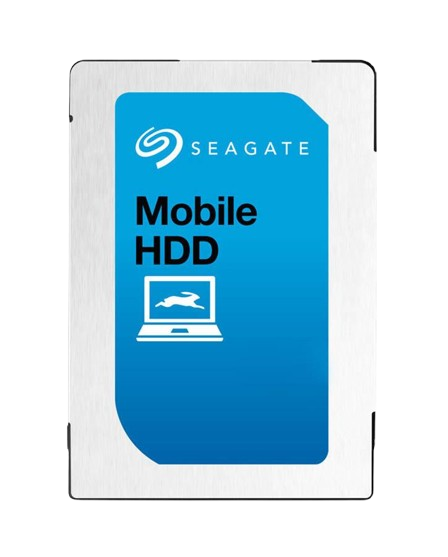
The ST1000LM035 is a 2.5-inch hard drive, making it an ideal choice for laptops, gaming consoles, and external enclosures. It’s designed to fit seamlessly into most modern devices.
5400 RPM Speed with 128MB Cache
This HDD operates at 5400 revolutions per minute (RPM) and features a 128MB cache, ensuring smooth performance for everyday computing, multimedia tasks, and light gaming.
SATA 6.0Gb/s Interface
With a SATA 6.0Gb/s interface, this hard drive offers fast data transfer speeds, improving boot times and reducing file loading delays.
Reliable and Durable
Seagate is known for manufacturing high-quality storage solutions, and the ST1000LM035 is no exception. It provides great durability and longevity, making it a smart investment.
How to Install the Seagate ST1000LM035 in Your Laptop
Upgrading your laptop’s hard drive is easier than you think! Here’s a quick guide:
- Backup Your Data – Before replacing your old drive, ensure all important data is backed up.
- Turn Off and Unplug Your Laptop – Safety first! Disconnect from power and remove the battery if possible.
- Open the Laptop’s Storage Bay – Unscrew the panel covering your hard drive compartment.
- Remove the Old Hard Drive – Gently detach the old drive, taking care not to damage the connectors.
- Install the Seagate ST1000LM035 – Insert the new drive, secure it with screws, and reconnect any necessary cables.
- Close the Storage Bay and Power On – Once installed, power up your laptop and reinstall your operating system or restore your backup.
Final Thoughts
The Seagate ST1000LM035 1TB Mobile Hard Drive is an excellent upgrade for anyone needing more storage on their laptop. It provides a balance of capacity, performance, and reliability—all at an affordable price. Whether you're a student, professional, or gamer, this hard drive ensures you have the space you need to keep your files, media, and applications running smoothly.
So, if you're ready to boost your laptop's storage, consider upgrading with the Seagate ST1000LM035 today